
Multiple mailboxes for one HelpDesk
One helpdesk – but different mailboxes. Does that make sense? And is that even possible?
The answer is „Yes!“
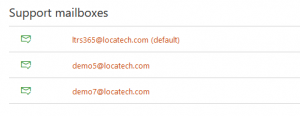
For example, companies with offices in different countries, such as Germany and the U.S., could manage all incoming tickets through a common help desk, but set up separate mailboxes within the ticket system for users in each country.
Users from Germany would send their ticket request to hilfe@company.de, for example. The ticket created from this mail is categorized as „German language“ accordingly, and the response comes from the sender hilfe@company.de in German. The helpdesk mail address for users from the USA could be help@company.com. Their tickets created by mail will be categorized as „English language“ and help@company.com will send a reply in English.
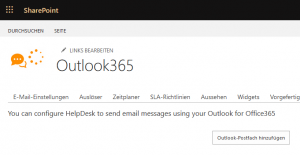
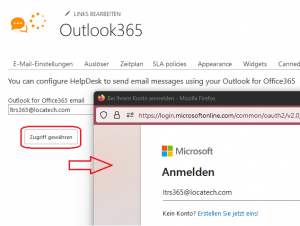
With the HelpDesk offered by Locatech, a corresponding configuration is easy to set up, provided you have a Microsoft 365 account with Exchange Plan.
Multiple mailboxes for one HelpDesk
A standard mailbox is possible
- When a ticket is created by entering it directly in the form
- When a ticket is created using a widget
- When a ticket is created via MS Flow or REST API
Not sure if using multiple mailboxes in a helpdesk could be a viable solution? Let us advise you!