Simple project management with Office365: IT doesn't always have to be the really big cutlery
When the number and scope of the projects supervised are not too large, but managing all tasks and deadlines in tables causes you to loose track, the question of a project management solution arises in many companies. A special product for project management seems to be „overkill“ and is often associated with considerable costs and a high level of training. Office 365 offers a number of practical solutions for your company:
Microsoft Teams
You may have been using Microsoft Teams for a long time as a tool for communication in the company and know the advantages: Group conversations are easier in Teams than via emailand information will no longer „get lost“ in individuals‘ inboxes. But classic project management is also possible with Microsoft Teams. A complete document management system for the central storage, processing and administration of project documents is already available in the standard configuration. And appointment management via the team calendar is also integrated directly into Outlook, so that personal appointments and team meetings can be easily managed.
You can also expand the configuration with Microsoft Planner to include convenient central task management in the style of a Kanban board. In this configuration, all project management functions are available to a team, via Teams on the desktop, via Outlook, and also in the mobile Teams app, which also serves as a messenger for company-internal chat communication.
Specialized modules for project and task management are offered by third-party providers such as Asana and Wrike and complement the project management functions.
Asana
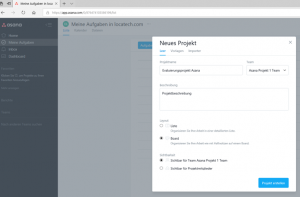
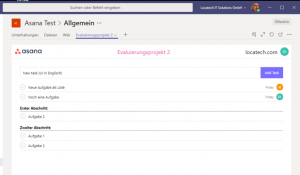
Tasks and deadlines can be assigned in a project. The tasks assigned to you can be viewed in an overview. However, Asana Boards are not currently supported in Microsoft Teams. Tasks managed in Asana can be marked as done in Teams, but not edited. Clicking on a task opens an external webpage to edit the task in Asana.
Wrike
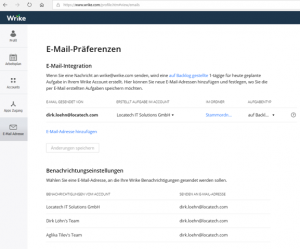
It can be integrated into your email program. When you follow a task, Wrike will inform you by e-mail about changes to this task. You can also set up notifications for scheduled or overdue tasks, for your own tasks or for tasks you have assigned to others.Wrike offers direct integration with Microsoft Teams, allowing team chats to be connected to tasks.
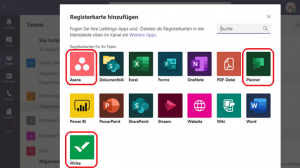
Both Wrike and Asana can be integrated into Teams via a tab.
Microsoft Planner
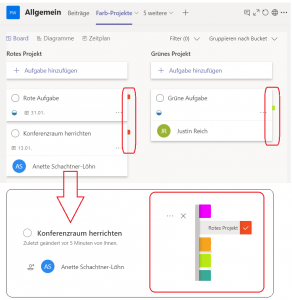
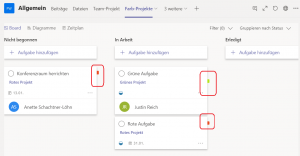
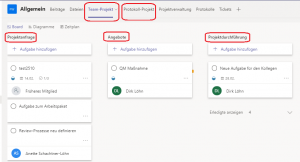
Microsoft Planner can also be integrated into teams via a tab. It’s already part of certain Office 365 licenses and can therefore be used in the appropriate case without additional costs in connection with teams .
If only a few projects need to be managed at the same time , this can be done with Planner on one and the same tab, with the individual projects being represented by buckets and different colored designations .